


MacBook Air vs MacBook Pro Machine – Complete Buyer’s Guide

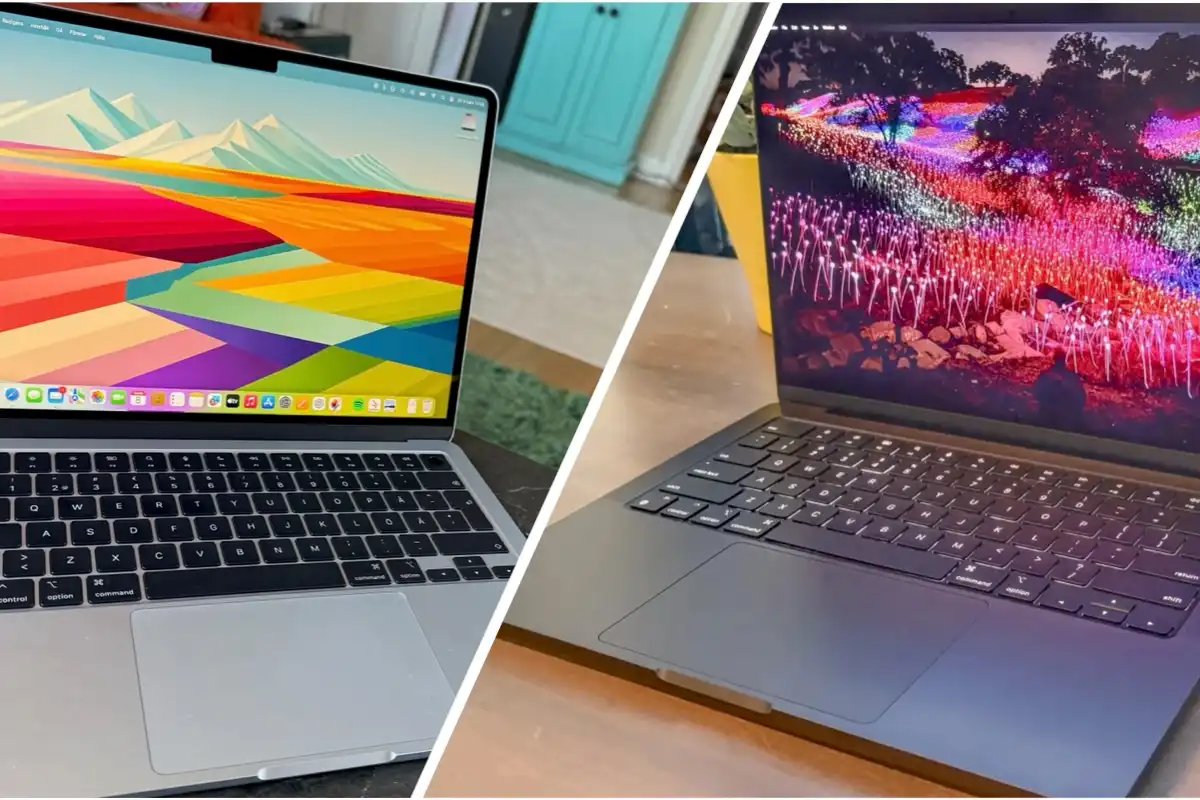
Choosing between the MacBook Air 2024 and MacBook Pro 2024 can feel overwhelming—both are powerful, sleek, and built for different kinds of users. This detailed comparison breaks down performance, battery life, display quality, design, price, and more to help you decide which MacBook is best for your workflow and budget.
Quick Summary
If you need lightweight portability and long battery life, choose the MacBook Air 2024.
If you want maximum performance, better graphics, and pro-level features, the MacBook Pro 2024 is the smarter investment.
⭐ MacBook Air vs MacBook Pro 2024: Specs Comparison Table
| Feature | MacBook Air 2024 | MacBook Pro 2024 |
|---|---|---|
| Chip | M3 | M3 / M3 Pro / M3 Max |
| Display | 13.6" or 15.3" Liquid Retina | 14" or 16" Liquid Retina XDR |
| Brightness | 500 nits | 1000–1600 nits HDR |
| Battery Life | Up to 18 hours | Up to 22 hours |
| Ports | 2x Thunderbolt + MagSafe | 3x Thunderbolt, HDMI, SD, MagSafe |
| Weight | 2.7–3.3 lbs | 3.4–4.7 lbs |
| Price (Starting) | Lower | Higher |
Design & Portability
✔ MacBook Air 2024
-
Ultra-light and fanless
-
Designed for portability
-
Slimmer profile, perfect for travel
✔ MacBook Pro 2024
-
Slightly heavier
-
Has an internal fan (better sustained performance)
-
More ports for creators and professionals
Best For:
-
Air: Students, commuters, everyday users
-
Pro: Photographers, video editors, developers
Performance: M3 vs M3 Pro vs M3 Max
MacBook Air (M3) Performance
-
Great for multitasking
-
Smooth for office apps, browsing, light editing
-
Not ideal for heavy 4K video or advanced 3D work
MacBook Pro (M3 / M3 Pro / M3 Max) Performance
-
M3: Mid-level power, excellent for code, light editing
-
M3 Pro: Great for video editing, pro apps, simulations
-
M3 Max: Top-tier performance for rendering, AI workloads, and 3D modeling
Winner: MacBook Pro 2024 for demanding tasks
Display Quality
MacBook Air 2024
-
Liquid Retina
-
Gorgeous colors, but only 500 nits brightness
-
Perfect for everyday use
MacBook Pro 2024
-
Liquid Retina XDR
-
Mini-LED technology
-
Higher brightness, contrast, and HDR performance
If you work with photos, video, or HDR content, the Pro display is worth the upgrade.
Battery Life
-
MacBook Air 2024: Up to 18 hours
-
MacBook Pro 2024: Up to 22 hours
The Pro is surprisingly the battery champion thanks to efficiency improvements.
Price & Value
-
MacBook Air 2024 is the best value for most people.
-
MacBook Pro 2024 costs more but offers significantly more power and ports.
🎯 Who Should Buy Which?
Buy the MacBook Air 2024 if you:
-
Want the lightest MacBook
-
Use your laptop for school, office work, browsing, or streaming
-
Want the best battery life in a thin package
-
Prefer a lower price
Buy the MacBook Pro 2024 if you:
-
Edit videos or photos professionally
-
Develop software, run VMs, or work with heavy apps
-
Need the brightest and most color-accurate display
-
Want more ports for accessories
-
Need the power of M3 Pro or M3 Max
Final Verdict: MacBook Air vs MacBook Pro 2024
Most people should buy the MacBook Air 2024—it offers unbeatable portability, great performance for everyday tasks, and excellent battery life.
If your work includes video editing, 3D rendering, coding, audio production, or professional design, the MacBook Pro 2024 is the clear winner thanks to its superior display, enhanced performance, and expanded ports.